
How to add a sub-user
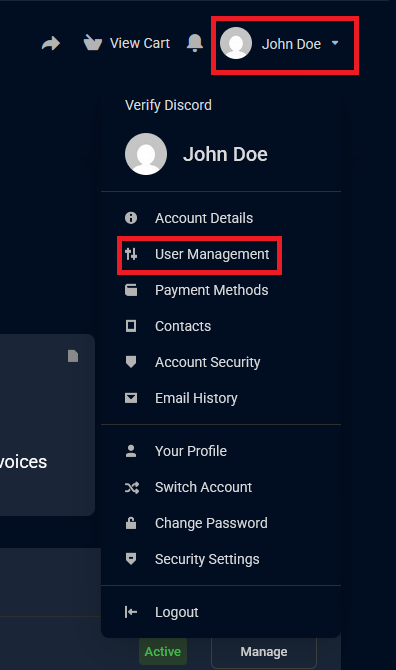
- Log into your billing dashboard and on the top-left corner click "Your Name" then from the dropdown list click "User Management"
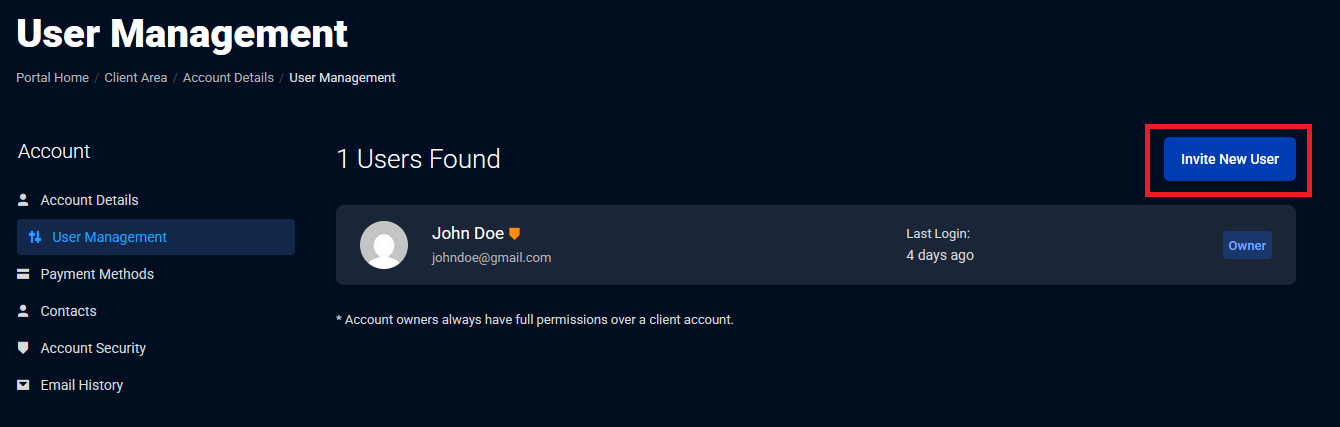
2. Click "Invite New User"
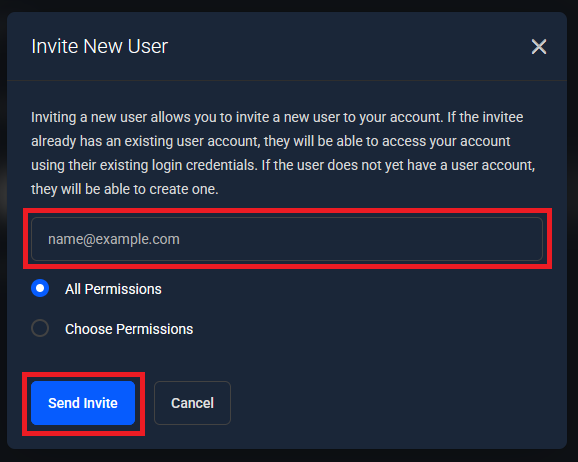
3. Enter the email address and set the permissions. You can either grant them all permissions or specific permissions to fit your needs. Once configured click "Send Invite"
NOTES: The invite will be pending until the user accepts the invitation. The user has 7 days to accept the invitation before it expires.


