
How to enable 2FA
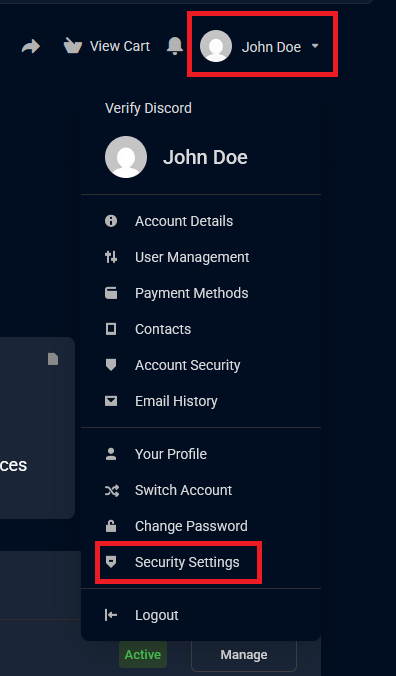
1.Log into your billing dashboard account. On the top-left corner click "Your Name" then from the dropdown list click "Security Settings"
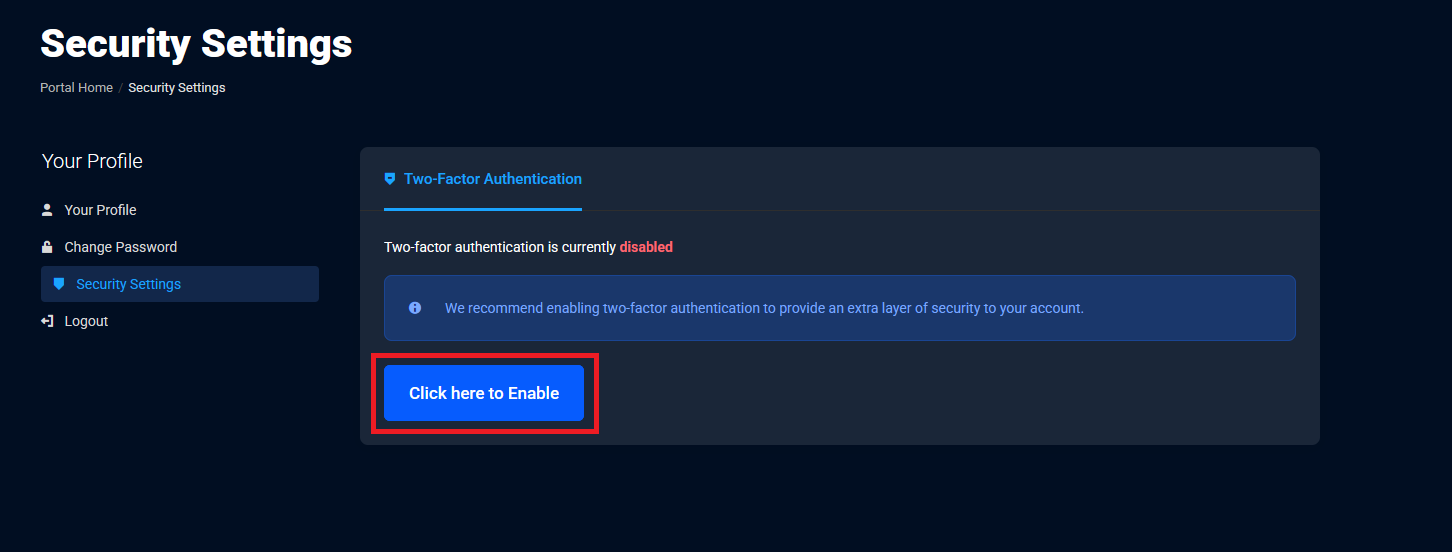
2. Click "Click here to Enabled"
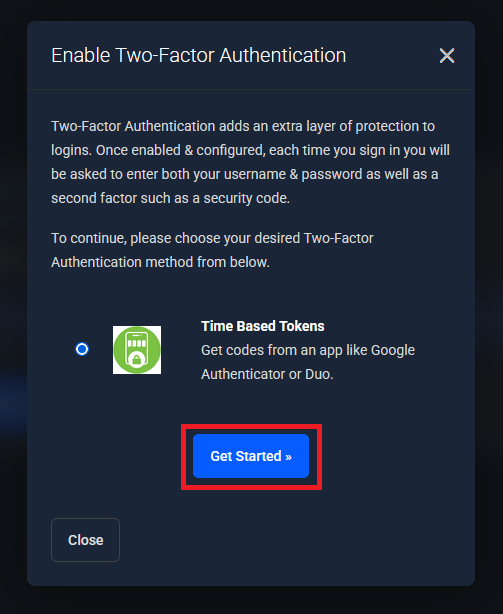
3. Click "Get Started"
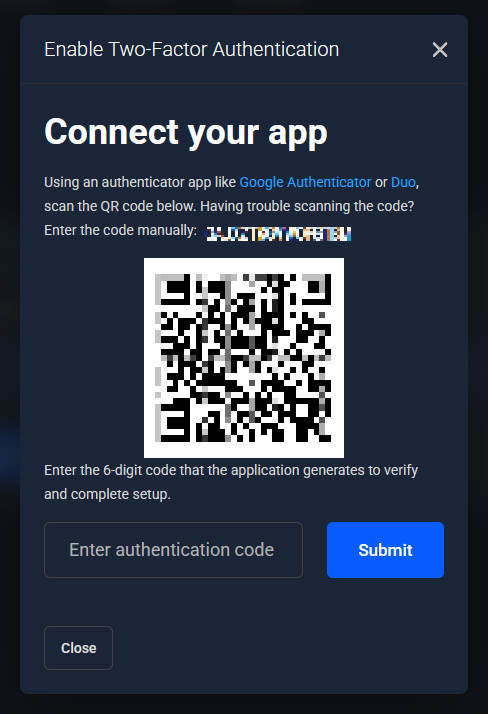
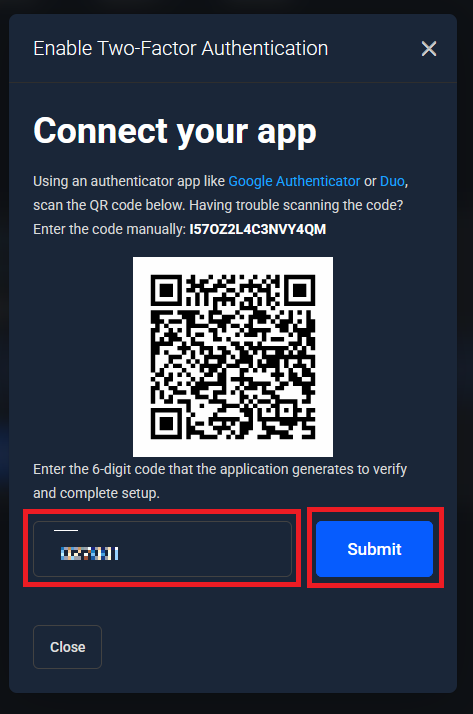
4. Scan the QR code into your phone using an authenticator app or manually enter the code. Be sure NOT to share this screen or code with anyone.
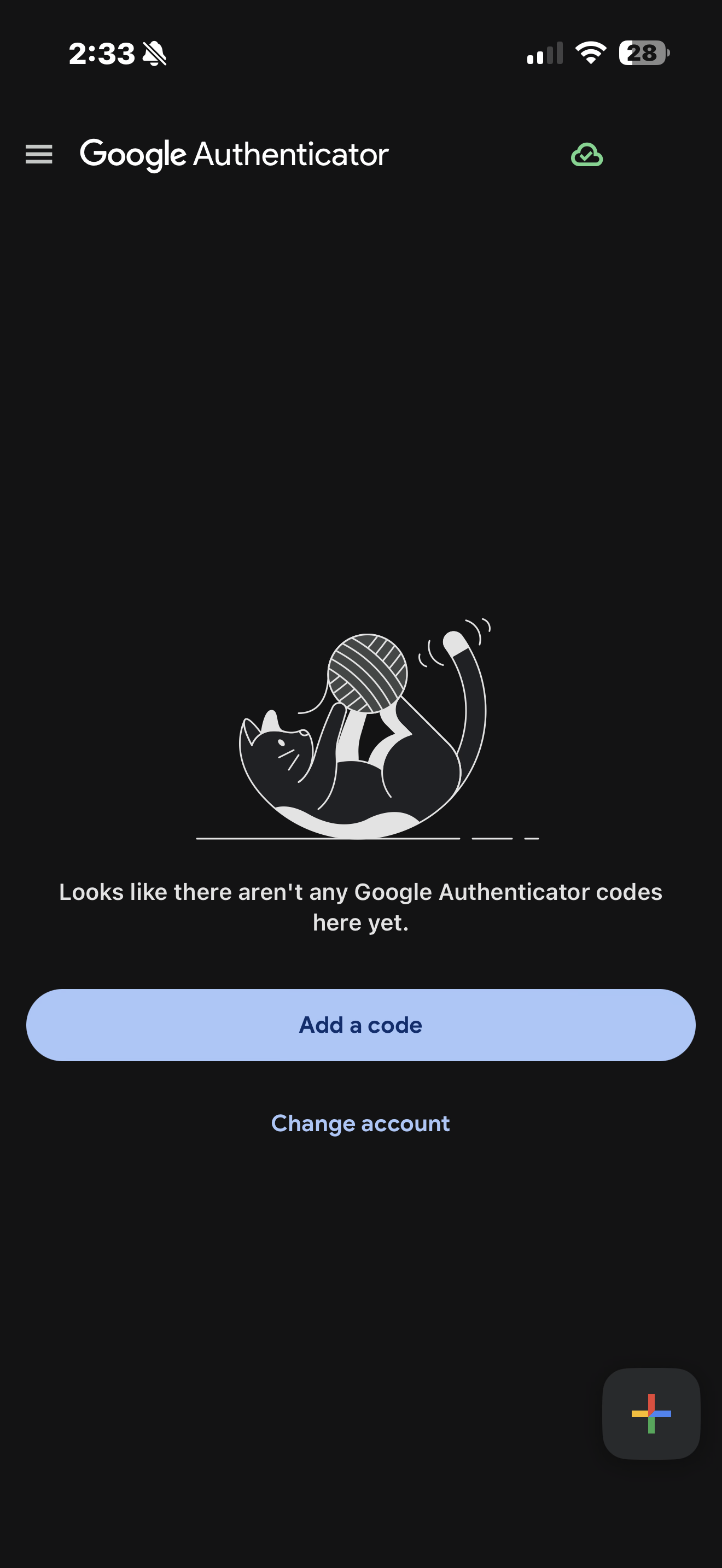
5. After downloading an authenticator app like Google Authenticator. You will click on "Add a code"
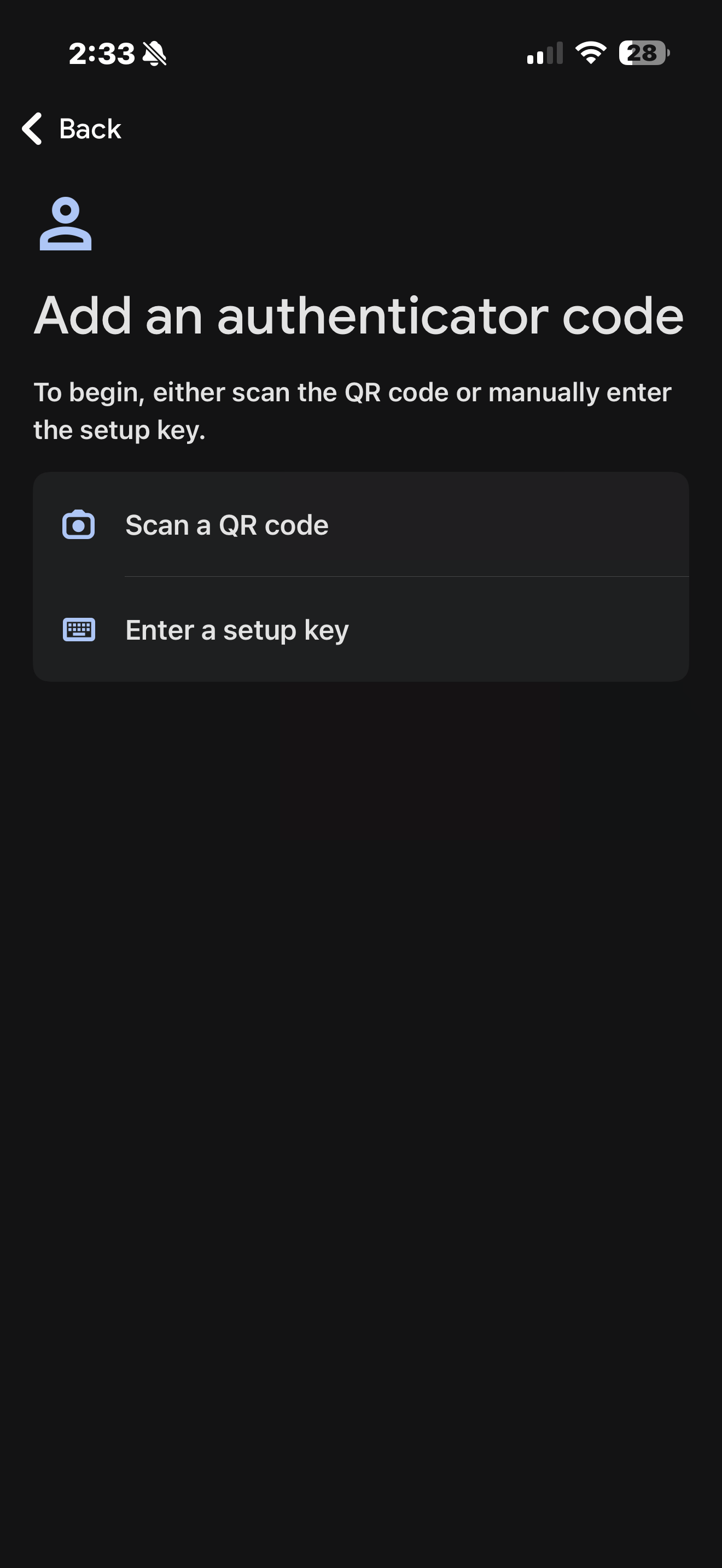
6. Either scan your QR code from earlier or enter the code manually.
7. Enter the code shown into the billing dashboard and click "Submit".
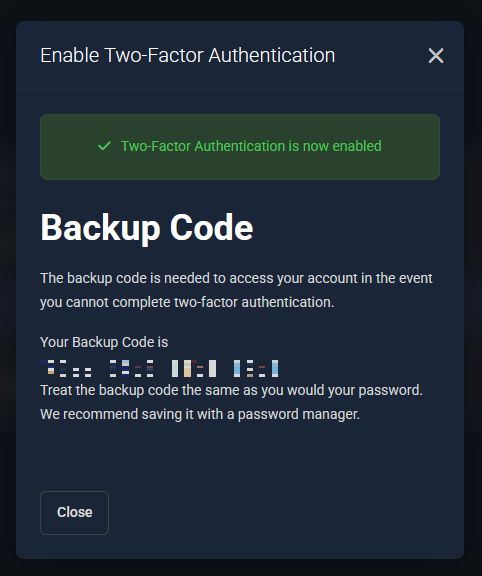
8. Be sure to save your backup code as if you loose access to your authenticator app you will need this to recover your account.
NOTES: Staff will not ask for your 2fa code ever! If you loose access to your authenticator app and your backup code you will need to contact staff for further steps.


